e-commerce back office
Campaign management
COMPANY
Ucommerce
ROLE
UX Designer
EXPERTISE
Product Design
In the fast-paced world of e-commerce, managing promotional campaigns is essential for driving customer engagement and boosting sales. This project aimed to create a streamlined solution for campaign managers to easily create, edit, and track their campaigns through an intuitive interface, improving overall efficiency and effectiveness.
My Role
As the lead designer, I was responsible for researching user needs, defining design priorities, and delivering the final UI design. I collaborated closely with stakeholders and engineers to ensure the design addressed real-world challenges and was seamlessly implemented.
Skills
User experience
Visual design
User testing/research
Design system
Prototyping
Documentation
The heart of this project is to revamp this tool with a focus on the user experience for e-commerce managers, who’s one of their main roles is creating and managing campaigns. The redesigned page allows managers to:
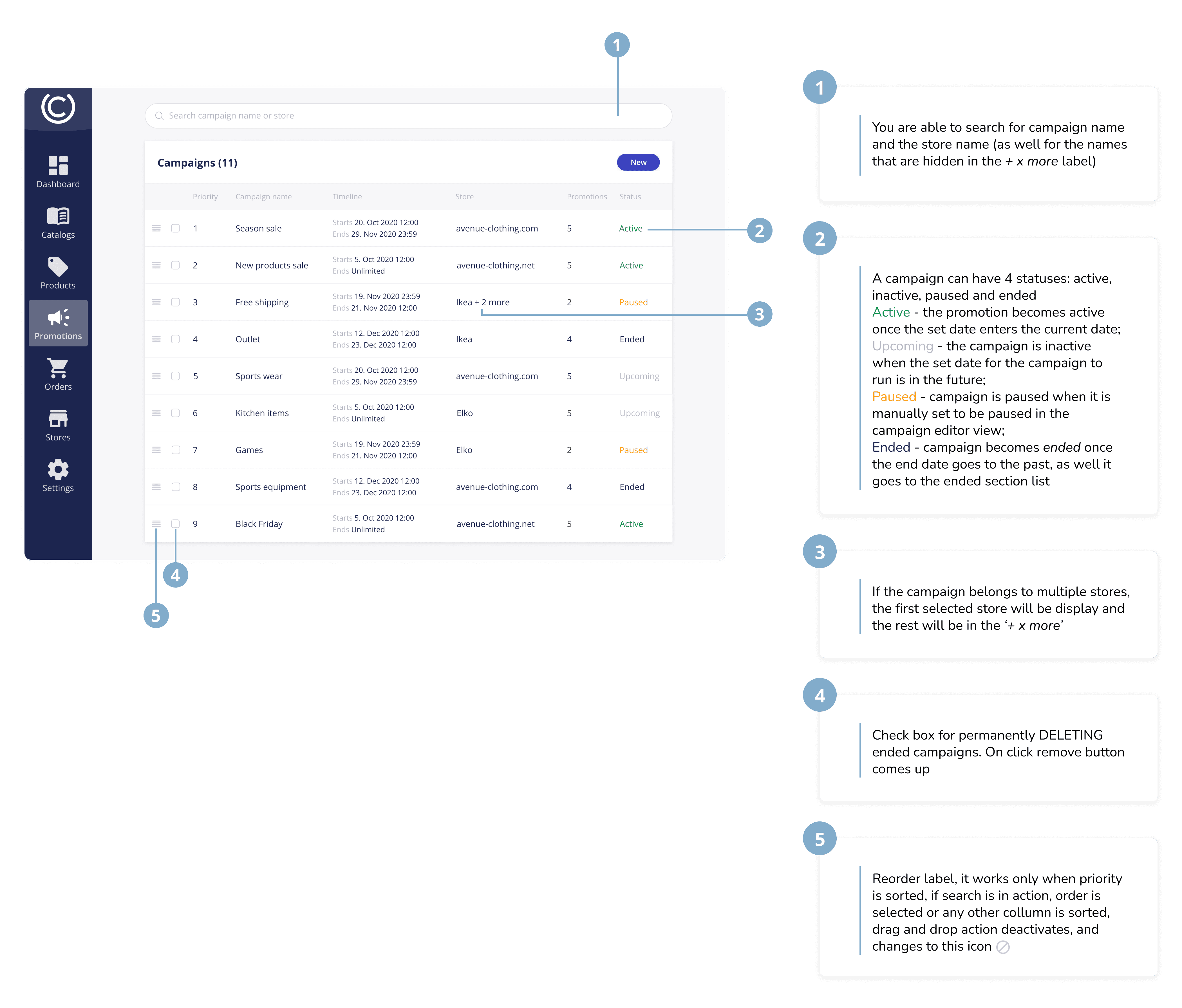
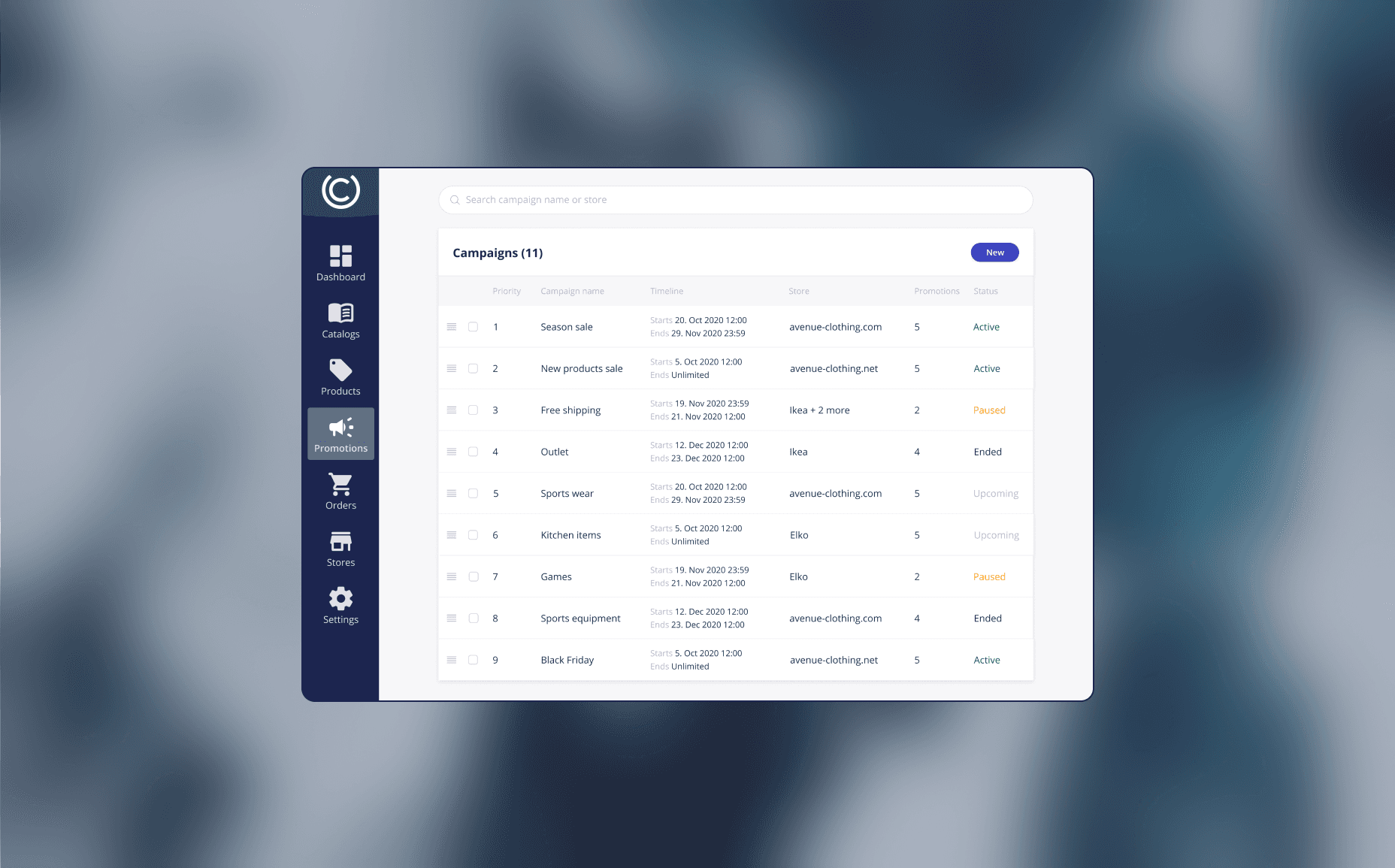
Get an overview of campaigns and their statuses
Search for specific campaigns
Re-prioritize campaigns
Create campaigns
Challenge
Campaign managers needed an easy-to-use but robust tool to manage multiple promotional campaigns. The challenge was to streamline the workflow while maintaining the flexibility required to support different campaign needs.
Solution
By conducting user testing and iterating on the design, we identified areas to simplify without losing functionality. The focus was on intuitive navigation, easy access to campaign actions, and reducing cognitive load. The solution enabled users to quickly manage their campaigns with fewer steps.
Campaign Overview
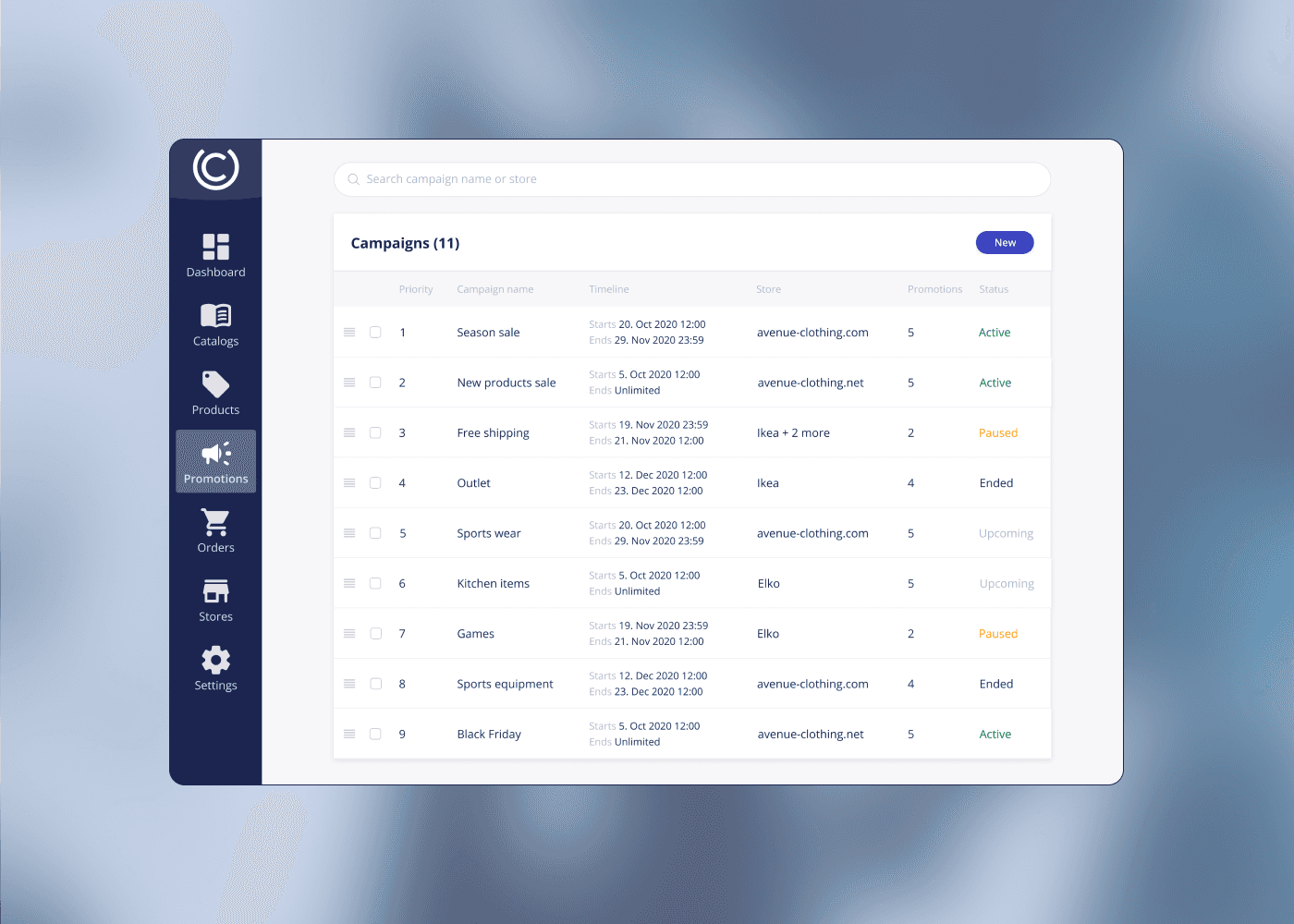
A central hub for campaign managers to view all active and scheduled campaigns. This dashboard provides an overview of campaign status, performance, and key dates.
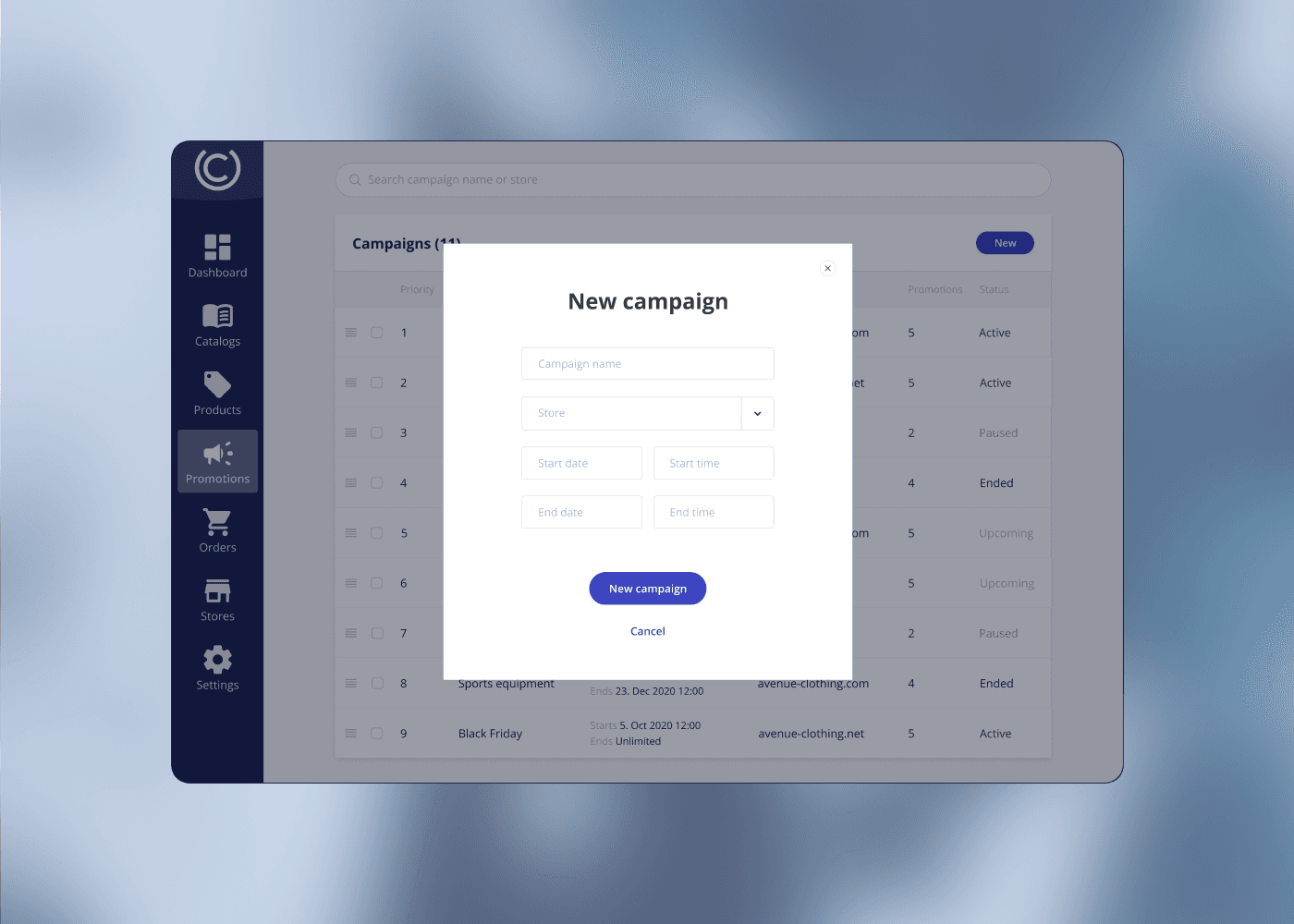
New Campaign Creation
A simplified and guided form for creating new campaigns. Users are prompted step-by-step to fill in essential details, ensuring consistency and minimizing errors.
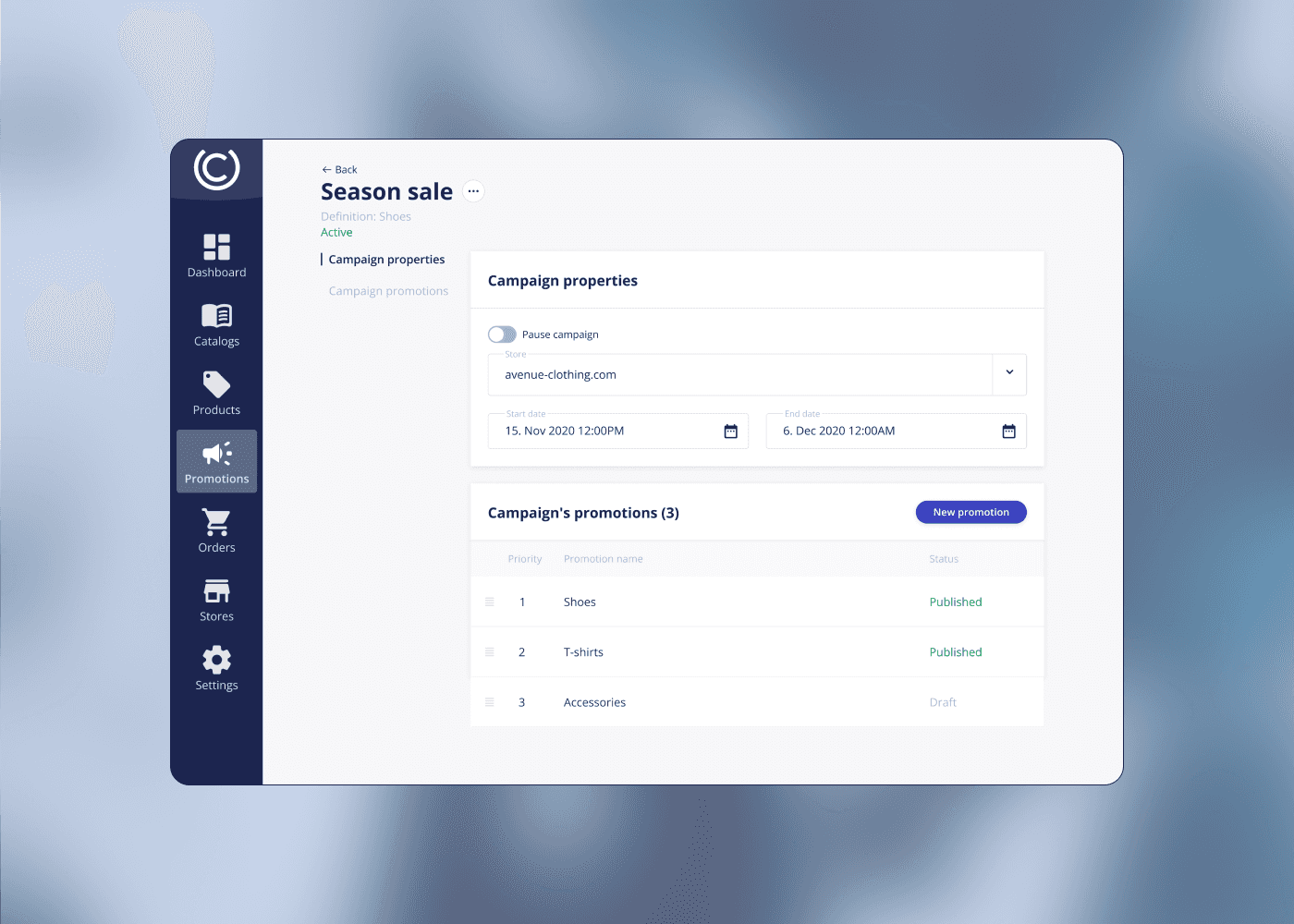
Campaign’s General Details & Editor
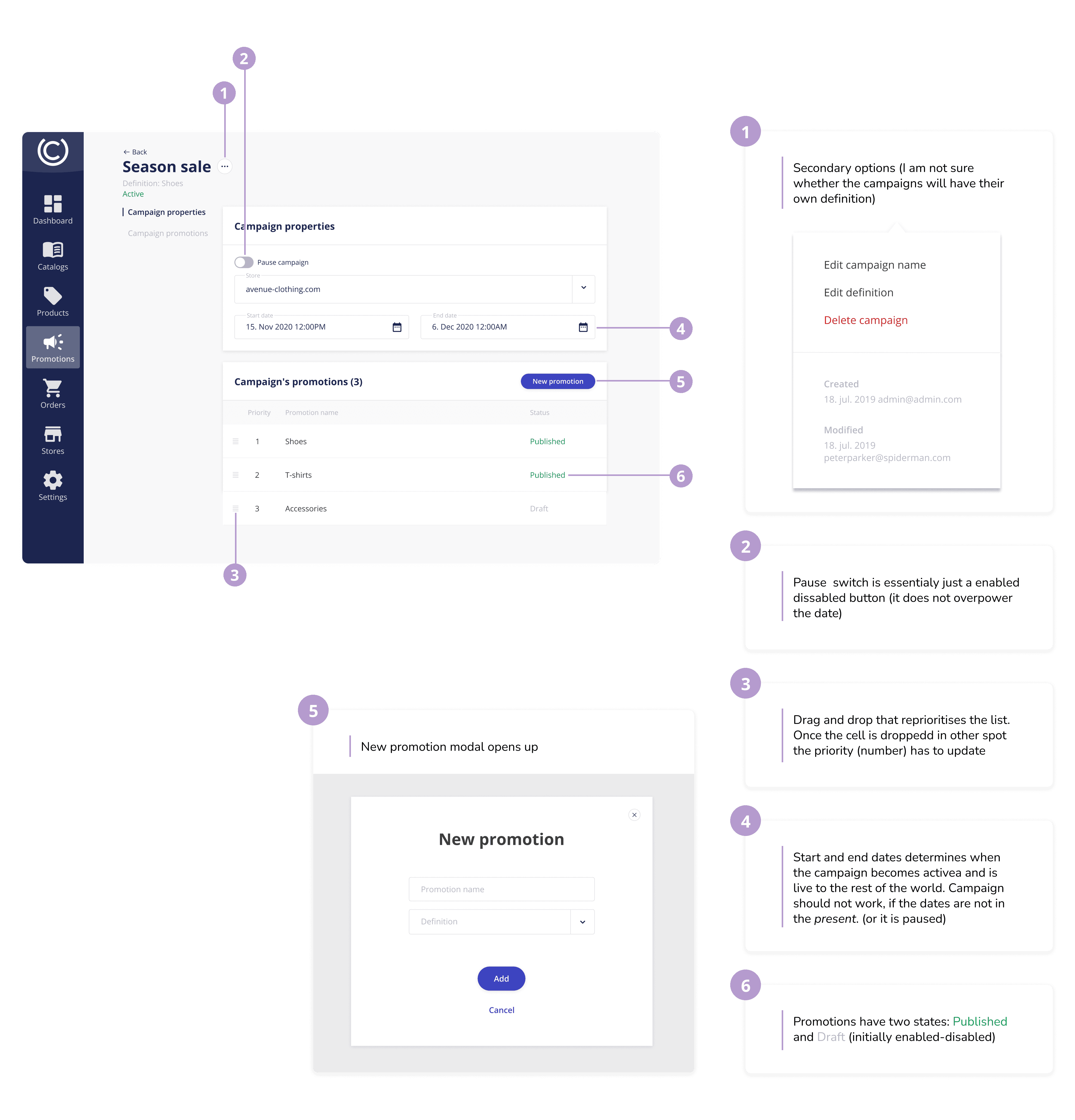
In this section, users can edit and manage the finer details of their campaigns, including start dates, promotions, and targeted products. This editor is designed to be flexible while maintaining simplicity for ease of use.
Clear annotations and documentation were created for developers to ensure smooth handoff and implementation. This ensured that all details and interactions were understood and effectively implemented.