e-commerce back office
Order management
COMPANY
Ucommerce
ROLE
UX Designer
EXPERTISE
Product Design
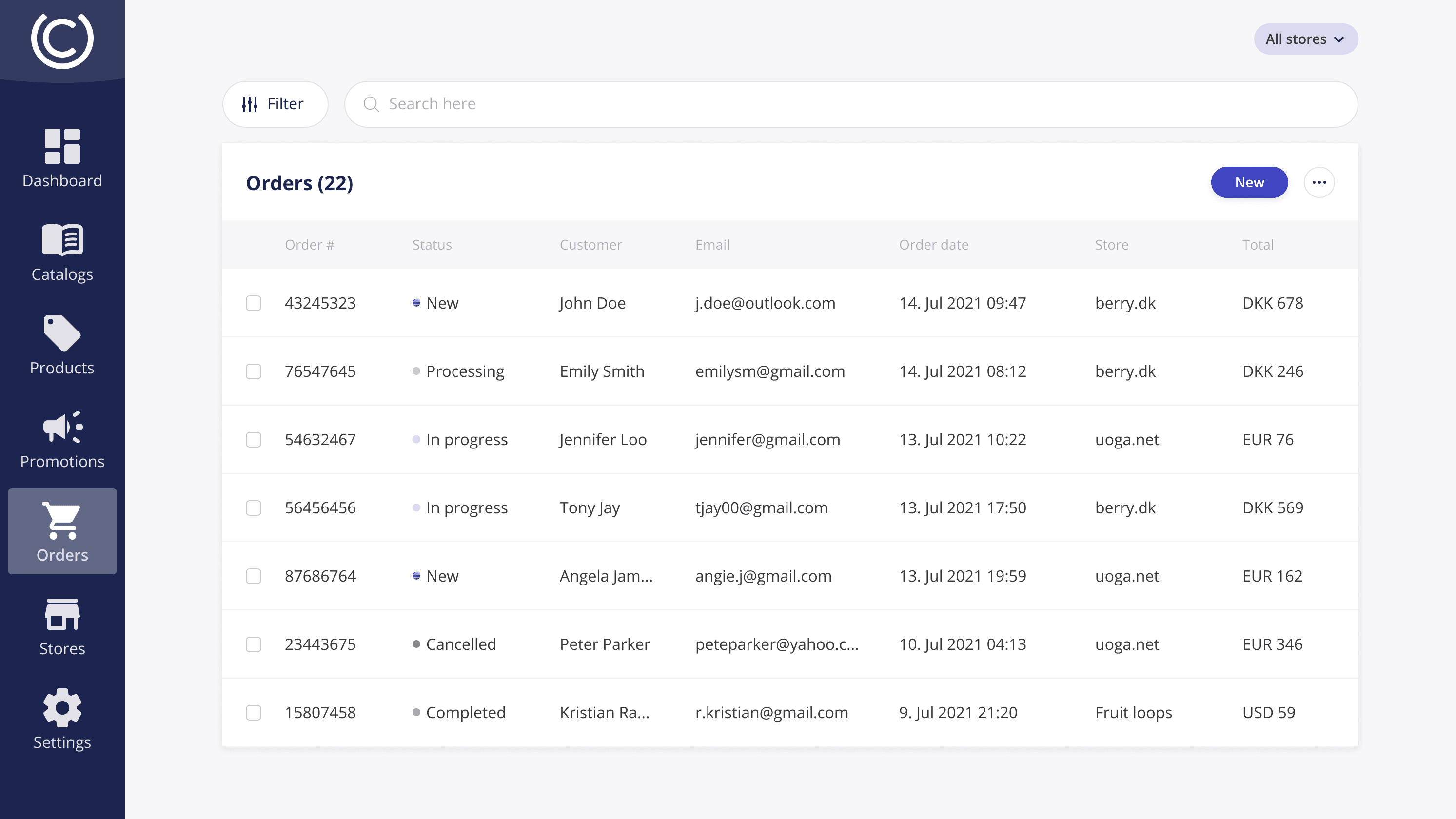
The objective of this project was to revamp a legacy order management system for e-commerce back office operations. My focus was on improving usability, simplifying workflows, and modernizing the visual design to provide a more intuitive user experience.
My Role
As the lead designer, I was responsible for researching user needs, defining design priorities, and delivering the final UI design. I collaborated closely with stakeholders and engineers to ensure the design addressed real-world challenges and was seamlessly implemented.
Skills
User Experience (UX) Design
User Interface (UI) Design
Visual Design
Prototyping
Design Systems
In any redesign, understanding the root problems and addressing them effectively is key to a successful outcome. For this project, the challenge lay in simplifying complex workflows while maintaining the integrity of the system’s functionality. My solution focused on enhancing usability and streamlining the user experience without compromising on the features that were essential to the business.
Challenge
The system was outdated, cluttered, and difficult to navigate, leading to inefficiencies in day-to-day operations. Users often struggled to locate key features quickly, leading to slower order processing and frustration.
Solution
By focusing on user-centric design, I simplified the interface to make key actions such as order tracking, filtering, and status changes more accessible. I ensured the interface was clean, visually appealing, and optimized for quick decision-making.
Improved accessibility to core functions with a restructured layout
Streamlined workflows for common tasks such as updating order status or creating new orders
Modernized visual design to align with current design trends and improve user engagement

Dashboard Overview
The central dashboard provides real-time visibility of all orders, including detailed statuses. This helped users make faster, informed decisions.
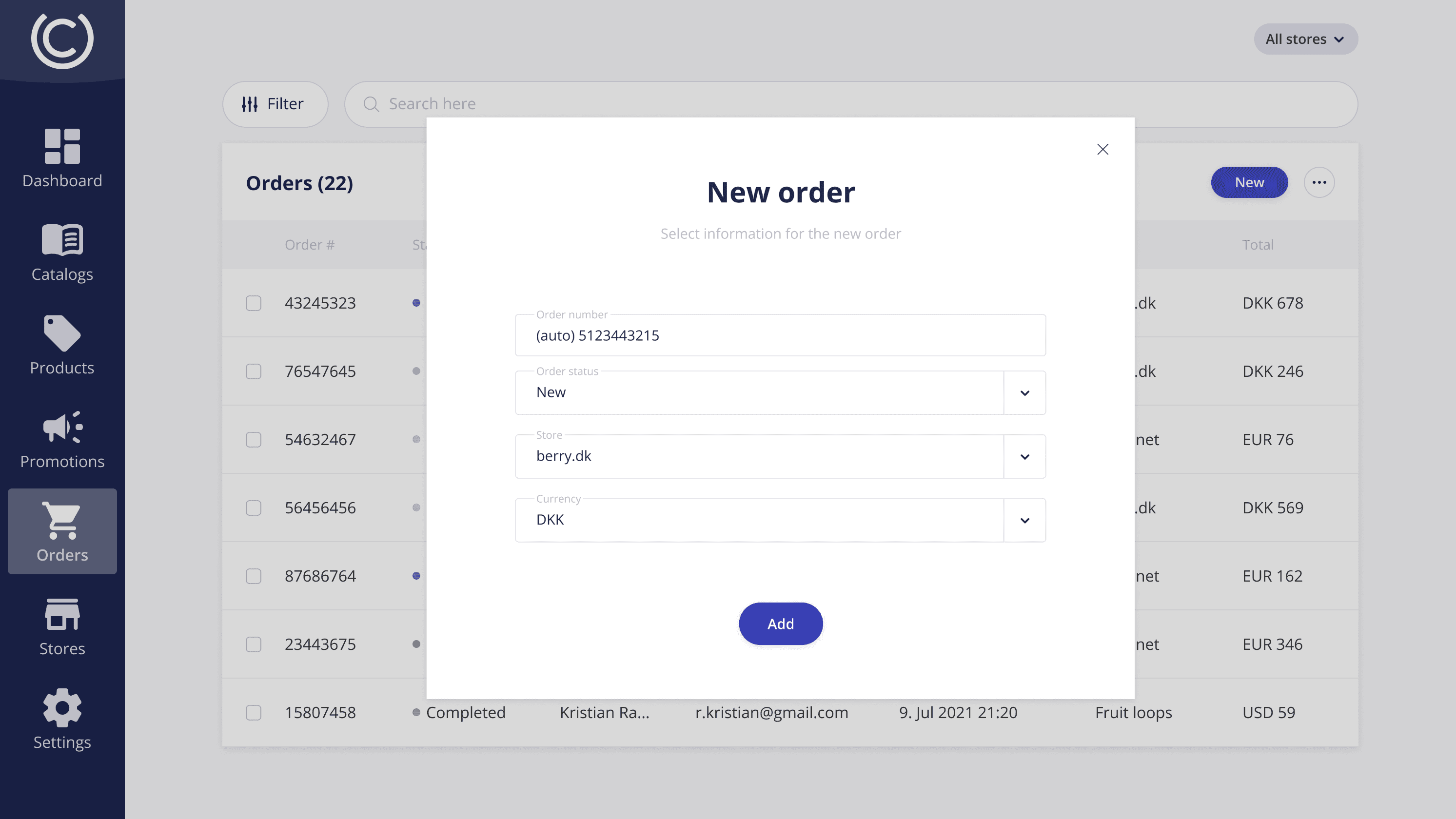
New Order Creation
A user-friendly form with clear instructions, allowing merchants to create new orders with minimal clicks.
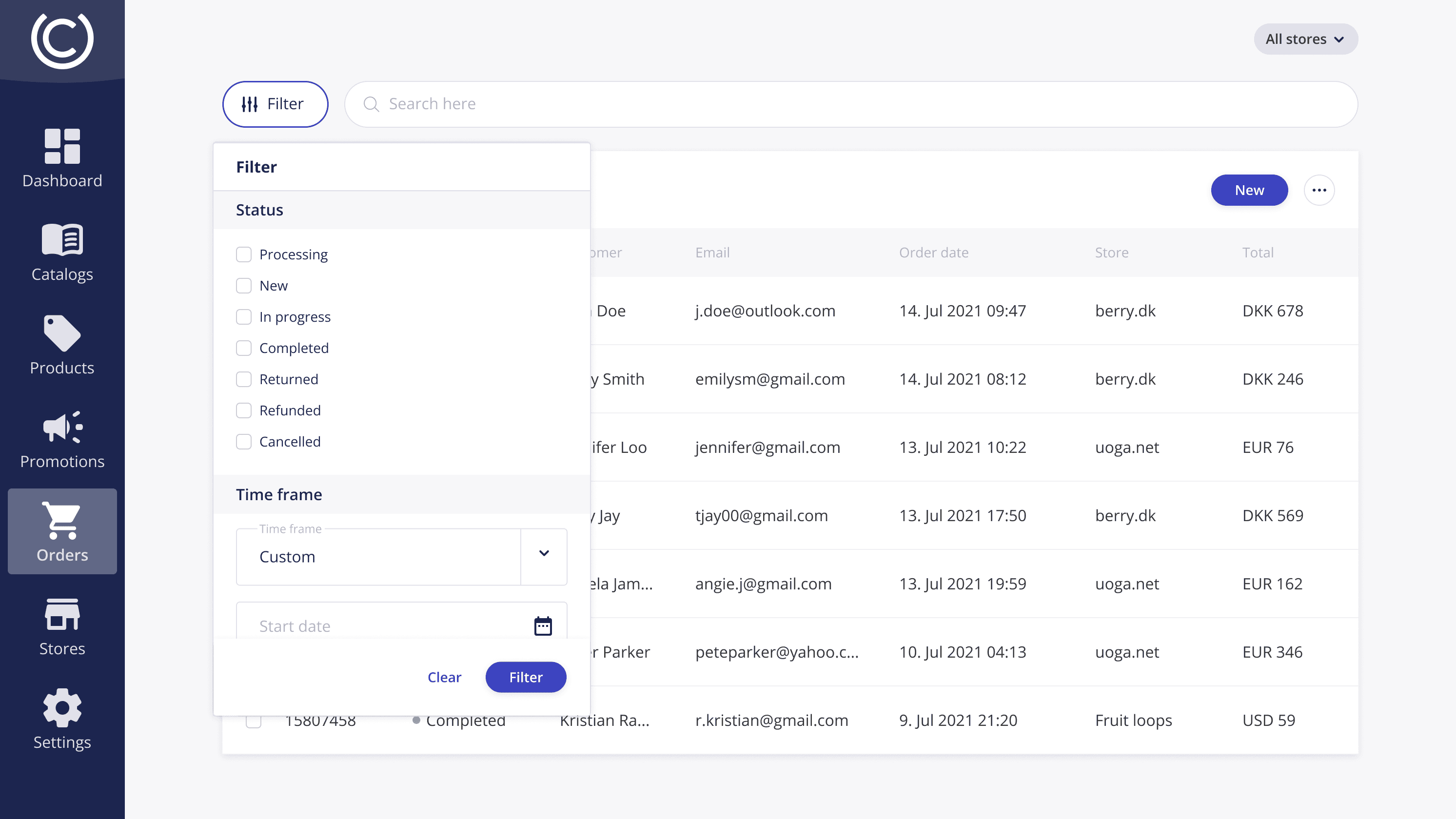
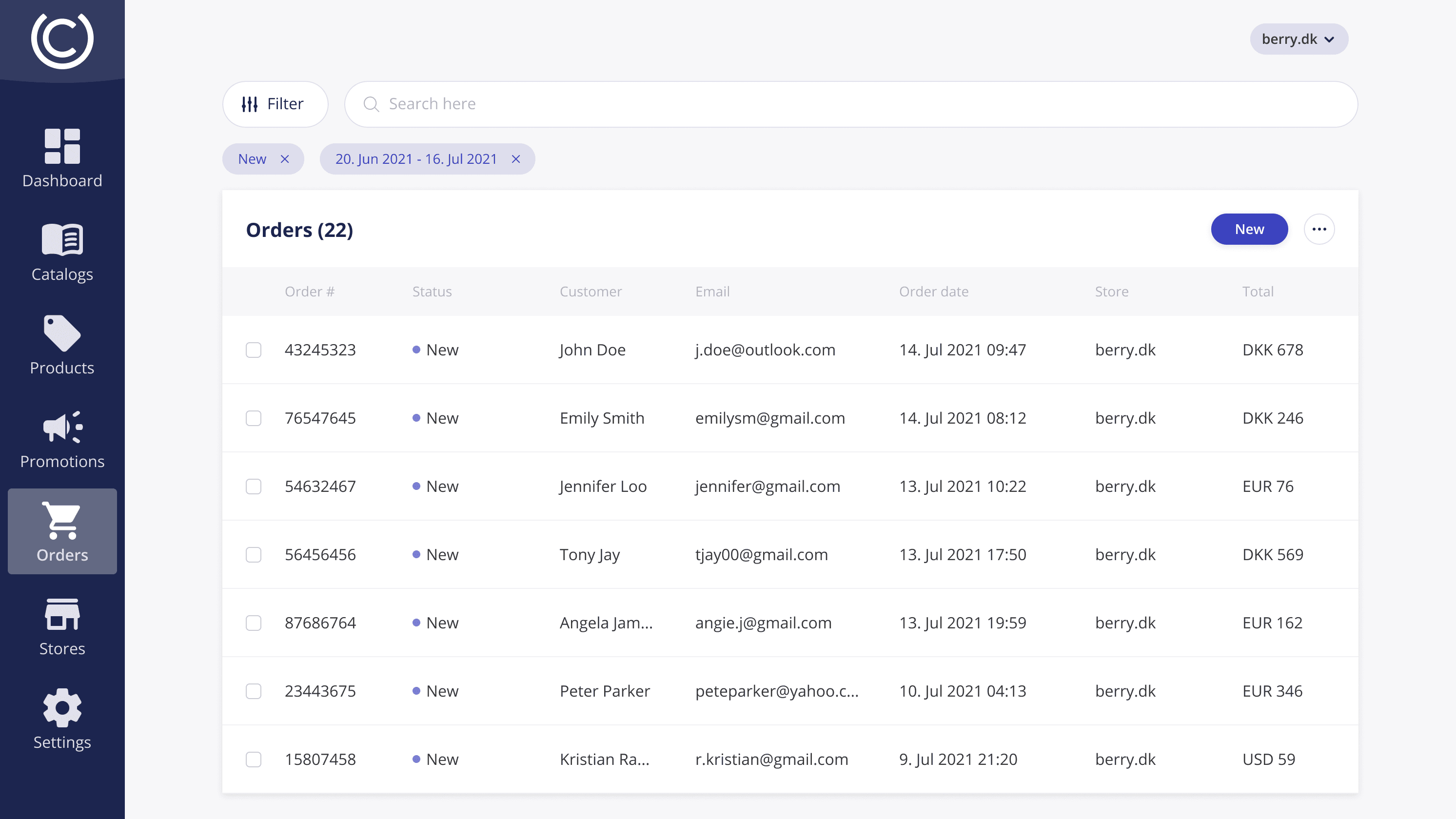
Filtering & Search
Enhanced filtering and search functionality with drop-down menus, making it easy to narrow down orders based on specific criteria.
Order Status Management
A simple modal for changing order status, designed to reduce cognitive load and allow users to complete tasks faster.
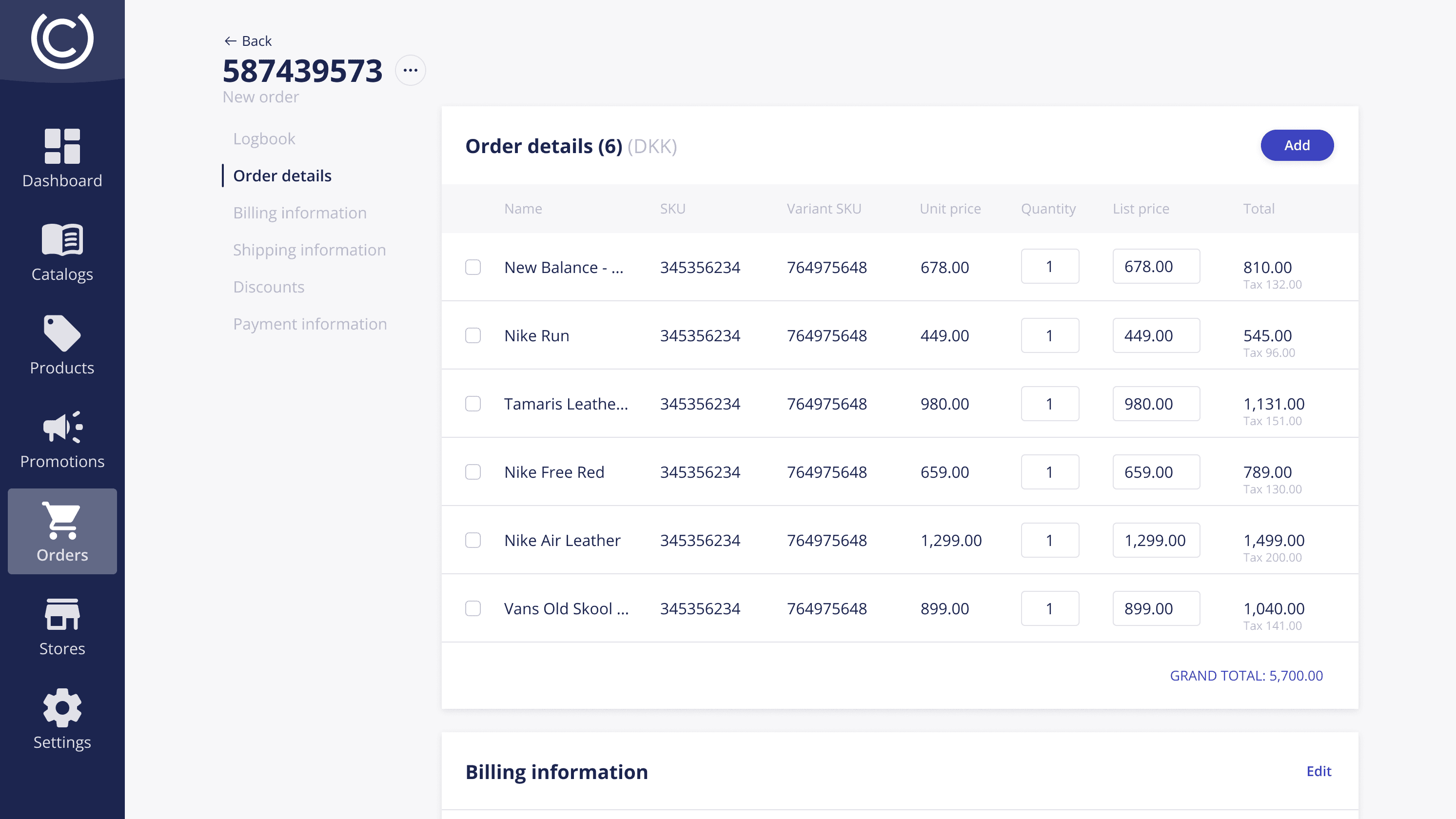
Detailed Orders View
A detailed order page where users can find all necessary information without needing to navigate multiple screens.